When buyers compare a WiFi handheld against a USB bench scope, the conversation usually starts with the sensor and ends with a spreadsheet. But the sensor is often the same between two models — what the connection actually decides is where the image can go, and who can see it while the part is still on the machine. That is a workflow question, and it is answered per station, not per company. This article walks through what each transport genuinely buys you, the three questions that settle it, and the network conversation that should happen before the purchase order rather than after.
A WiFi microscope and a USB microscope with the same sensor and the same optics produce the same image. Nothing about radio transmission changes resolution, colour or magnification — and nothing about a cable makes an image sharper. What differs is everything around the frame:
That last point is not a footnote. In many factories the network, not the budget, is what actually blocks a WiFi rollout.
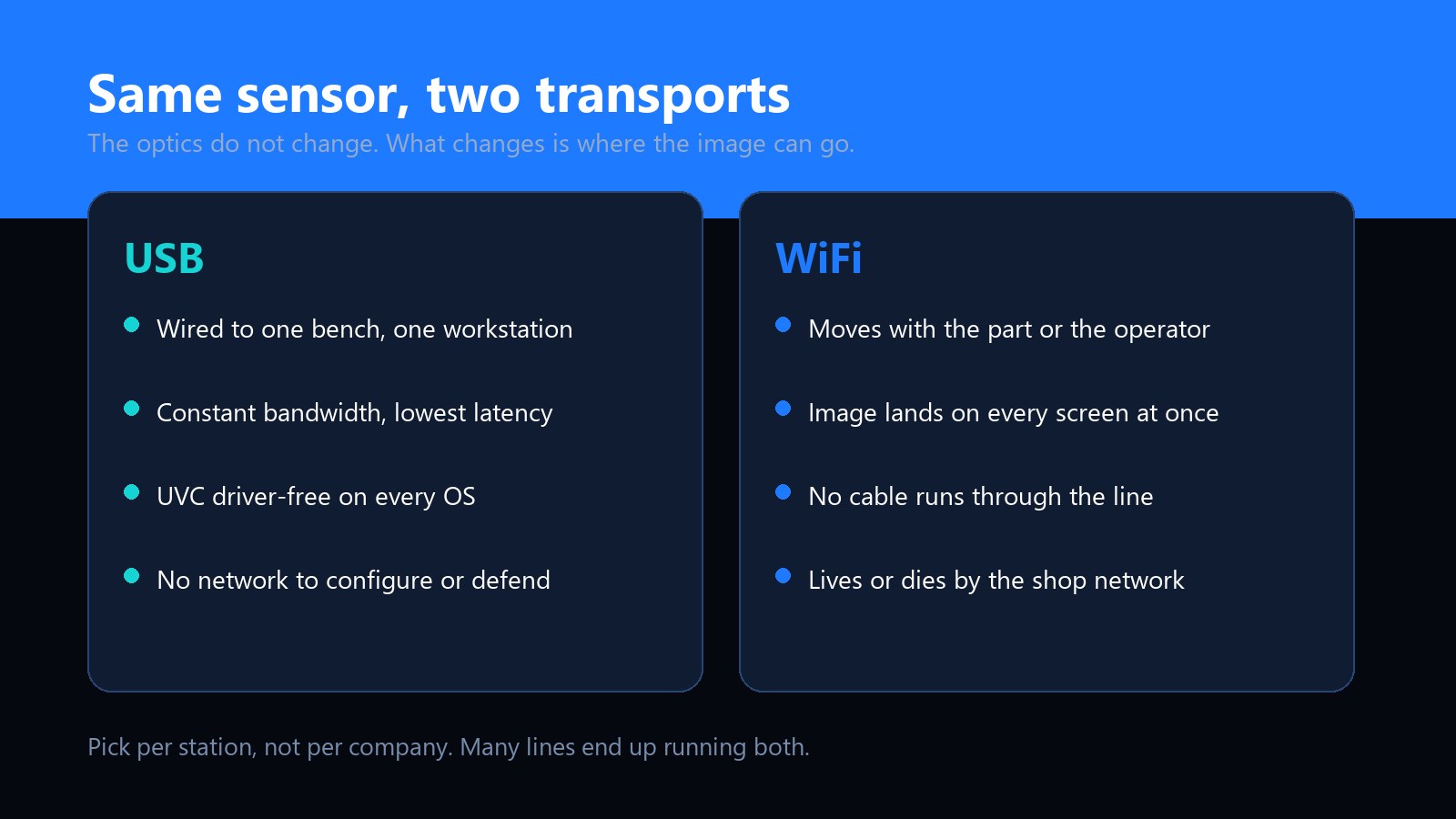
A wired scope such as the UB-DM050U is the boring choice, in the best sense of the word:
The trade is reach. A passive USB cable tops out around five metres in practice; beyond that you are buying active extensions and introducing the exact flakiness the wire was supposed to eliminate. If the part is bigger than the cable, USB stops being the right answer.
A wireless handheld such as the UB-DM023A trades the wire for freedom of movement, and that shows up in three ways:
The trade is dependency. A WiFi scope lives or dies by the shop network: 2.4 GHz congestion from AGVs and shop-floor tablets, walls between stations, roaming hand-offs between APs, and IT policies that treat any new wireless device as a risk. Bandwidth dips show up as dropped stream frames — which is why a good wireless scope saves stills locally and transfers them after, rather than trusting the live link for the record.
Ask them per station. A production line can legitimately answer differently at the rework bench than at the incoming-goods table, and most lines that install imaging properly end up running both transports on purpose.
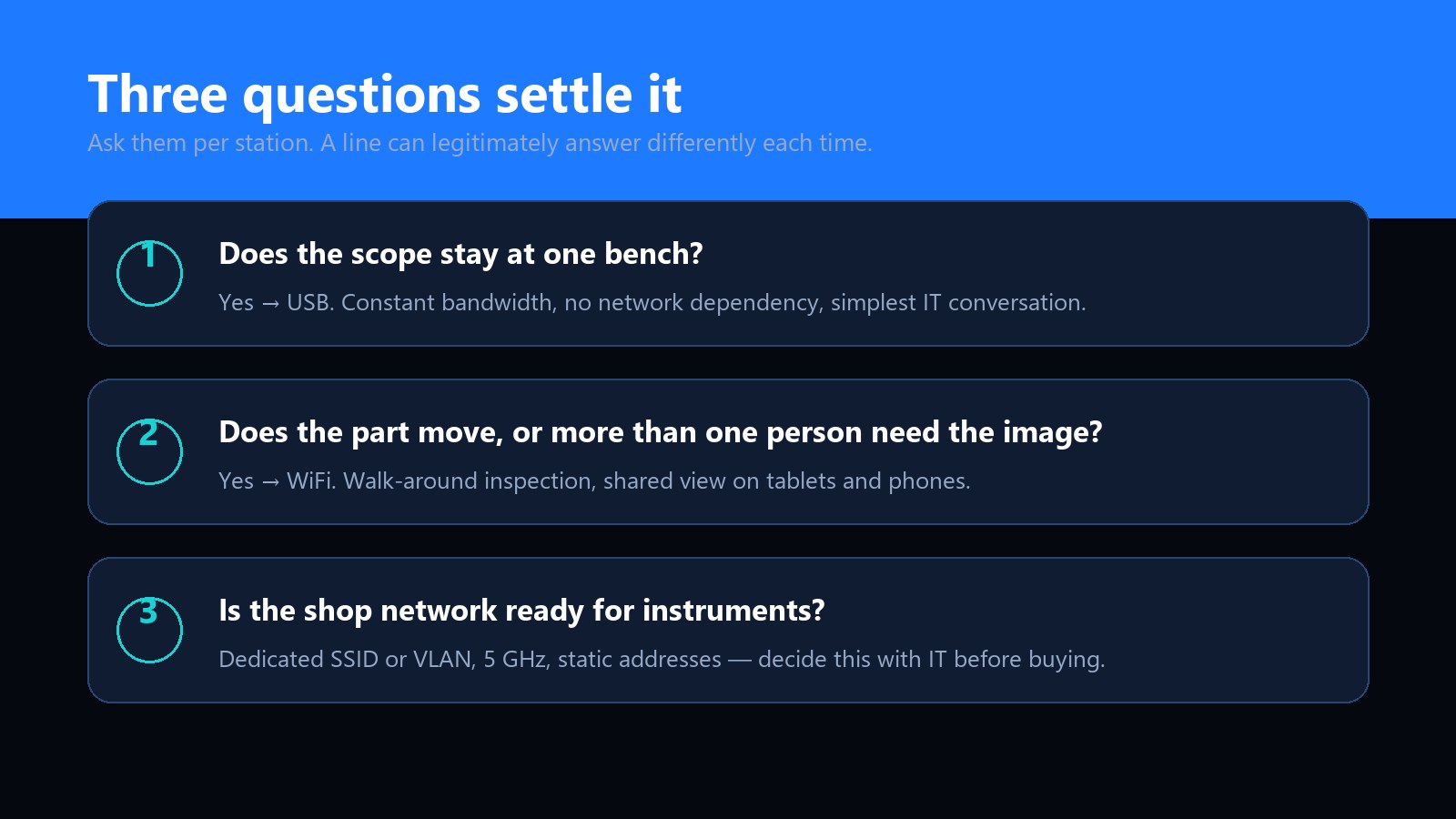
Fixed bench, one operator, measurement or repeatable documentation → USB. Moving part, several viewers, or no practical cable path → WiFi. If both lists apply to the same station, choose the dual-output device and stop arguing.
If any station answers "WiFi", involve IT before the purchase order, not after the first dropped stream. The short version of that conversation:
The cleanest answer to "WiFi or USB" is often neither-or-both. The UB-DM023A is a handheld with dual output: WiFi for mobility, USB for the bench, on the same 2MP sensor with switchable polarisation. A line can run it wireless during walk-around checks in the morning and dock it at the rework bench after lunch — same device, same controls, same image behaviour.
The software side matters as much as the transport. Whether the feed is wireless or wired, what the operator does with the image — measurement, annotation, report export, archiving — lives in the app, and that is exactly the layer we build to order. Our custom imaging software work covers Android and iOS apps, PC measurement suites and SDKs, so a client's WiFi and USB units can share one interface and one report format even when they sit at different stations.
For OEM and own-brand buyers, connectivity is a spec you write down, not a default you inherit. The three lines worth getting explicit about: which transports the device ships with, how the app behaves when a wireless link degrades mid-capture, and whether the same UI covers both transports so training is done once. We covered the rest of that specification exercise in how to brief a microscope manufacturer, and the cost implications in what actually drives a small-batch quote. Resolution and optics choices, meanwhile, follow their own logic — see 2MP vs 5MP.
No. The sensor and optics produce the same image either way. What a congested wireless link can degrade is the live stream — frame rate and responsiveness. That is why capture design matters: stills should be saved at full quality and transferred after, not squeezed through a marginal live link.
Plan on 10–30 metres indoors as the honest envelope, less through racking and machinery. The variable is rarely the scope's radio — it is AP placement and the 2.4 GHz noise floor. Design the coverage around the walk-around route, then test it with a loaded part in hand.
Around five metres is the practical limit for a passive cable at USB 2.0 speeds. Beyond that, use an active extension or a repeater cable — and if the required run keeps growing, that is the station telling you it wants WiFi.
Yes, provided the app supports it — this is an application capability, not a radio one. Our custom APK work includes multi-viewer live view, which is the pattern training cells and customer demonstrations usually want. Confirm it as an app requirement rather than assuming it.
Three, in order of preference: a dedicated instruments SSID or VLAN that satisfies the security review; station-by-station USB where the work is fixed anyway; or standalone use of the handheld's own screen with periodic USB offload. What usually fails is quietly putting instruments on the guest network — it works until the day it does not.
Neither, by itself. Repeatability comes from fixed geometry, controlled lighting and a consistent capture profile — the same properties that make dermatology records comparable. USB at a fixed bench makes those easiest to hold; the transport only decides where the image travels. See our colour calibration article for how the same logic applies to records.
What the extra megapixels actually buy you, where they stop paying, and how optics and lighting quietly outrank both.
Read the article →What to specify, what to leave to the factory, and the details that decide whether a custom build ships on schedule.
Read the article →